My Cooper Car Design Game
Reviews
Description
Game Introduction
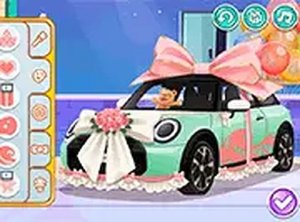
Decor: My Cooper is a creative car customization game where you design a mini Cooper as a thoughtful surprise gift. Part of the Decor Series, this game focuses on personal expression through color panels, stylish wheels, and decorative ribbons. It is a safe, family-friendly experience that runs smoothly in your browser without any downloads. Players of all ages can enjoy the relaxing process of making a car look exactly how they want.
How to Play
To play Decor: My Cooper, use your mouse or touch screen to select different customization options. Start by picking a base color for the car panels. Then choose wheels that match your style. Add ribbons and other decorations to complete the design. The interface is straightforward and shows a real-time preview of your car. There are no time limits or complex rules, so you can take your time creating the perfect gift.
Game Features
Free to play with no downloads required. Full screen mode is available for an immersive experience. The game is mobile-friendly and works on tablets and phones. Simple controls make it easy for anyone to start designing immediately.
Tips for Success
Take your time exploring all color and wheel options to find combinations that appeal to you. Experiment with different ribbon placements to add a personal touch. Since there are no time limits, you can try multiple designs before finalizing your gift. Sharing your finished car with friends can inspire new ideas.
Compatibility
This H5 game runs smoothly on: • Desktop computers (Windows / Mac) • Mobile phones (iPhone / Android) • Tablets (iPad / Android) 🌐 Best experienced with Chrome, Safari, or Edge
More Games
My Cooper Car Design Game
Easy to play and very relaxing. Great for creative kids and adults alike.
Christmas Home Dress Up
Easy to play and relaxing. Great for kids and anyone who enjoys holiday decorating and dress up.
Fashion Rave Dress Up Game
Easy to play, huge wardrobe, and safe for all ages. Perfect for quick creative breaks.

Tina Costume Party Dress-Up Game
A delightful dress-up game with baking and decorating. Simple and fun for all ages.
High School Dress Up Fashion Game
Colorful outfits and simple drag and drop controls. Great for creative kids who enjoy fashion.
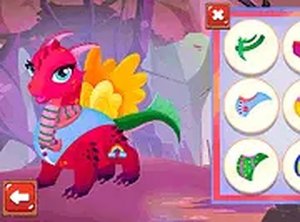
Baby Dragons Dress Up Game
Simple and charming dress up game. Kids enjoy mixing outfits and colors on the cute dragons.
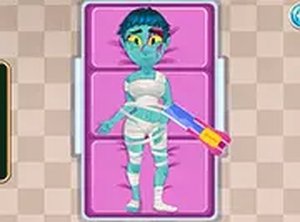
Doctor C: Mummy Care Dress Up
A creative mix of healing and fashion. Simple controls and family-friendly fun.

Casual Cosplay Dress-Up Game
Charming dress-up game with friendly themes. Easy to play and great for creative relaxation.
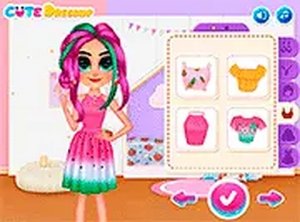
Fruity Fashion Dress Up Game
Bright fruit-themed outfits and easy controls make this a pleasant dress up game for quick fun.
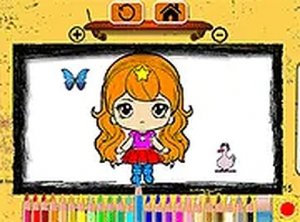
Chibi Doll Coloring Magic
A charming and relaxing coloring game with cute chibi dolls. Easy controls and plenty of creative options.