
Princess Craft Studio
Reviews
Description
Game Introduction
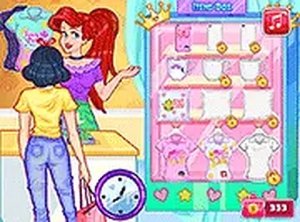
Welcome to Princess Craft Studio, a creative simulation game where you run your own princess-themed craft shop. The core objective is to design and personalize a variety of handmade products, including T-shirts, cups, pillows, and phone cases. You can mix colors, patterns, and decorations to make each item unique. Once your creations are ready, you offer them for sale to customers and earn coins. With your earnings, you unlock new customization options and expand your shop. This game is perfect for anyone who enjoys arts and crafts, fashion, or running a small business. It is all about expressing your personal style and building your dream shop from the ground up. The game offers a relaxing pace with no timers or pressure, allowing you to focus on creativity and experimentation. You can freely explore different design combinations and see your ideas come to life. The sense of accomplishment comes from growing your shop and seeing your designs appreciated by customers. Whether you are a seasoned crafter or a beginner, this game provides a satisfying and calming experience. It encourages you to think like a designer and entrepreneur, making decisions about what to create and how to present your items. The princess theme adds a touch of whimsy and elegance, making each design feel special. Overall, Princess Craft Studio is a delightful way to spend time being creative and building something from nothing.
How to Play
Players typically start by selecting an item to customize, such as a T-shirt or a cup. Using the available tools, you add colors, stickers, and patterns to the item. You can drag and drop decorations to arrange them exactly as you like. Once you are satisfied with the design, you offer the item for sale to customers. Each sale earns you coins, which you can use to unlock new materials and design features. The game has intuitive controls that let you focus on your creativity rather than complicated mechanics. You keep crafting and selling to grow your shop and become a successful designer. The process is straightforward: design, sell, earn, and unlock. There are no timers or pressure, so you can take your time with each creation. The game rewards experimentation and personal expression, making every play session unique.
Game Features
Creative design tools allow you to mix colors, stickers, and patterns freely. Shop management tasks include selling items and tracking your earnings. Coin-based upgrades unlock new materials and design options, giving you more ways to customize. The game offers a relaxing pace with no timers or pressure, so you can experiment without stress. Players can see their creations come to life as they design and sell items. The princess theme adds a charming aesthetic that appeals to fans of fashion and crafting. The game encourages creativity and provides a sense of accomplishment as your shop grows. It is a calm, satisfying experience for anyone who enjoys making things.
Tips for Success
To succeed in Princess Craft Studio, focus on experimenting with different color combinations and patterns to create unique designs. Pay attention to customer preferences by observing which items sell quickly. Save your coins to unlock new materials and tools, as these expand your creative options. Take your time with each design, as there is no rush. Enjoy the process of building your shop and expressing your personal style. The more you practice, the more you will discover what works best for your customers.





Player Comments
Sign in to comment
You must be logged in before posting a review or rating.
No account? Create one
No comments yet. Be the first to comment!